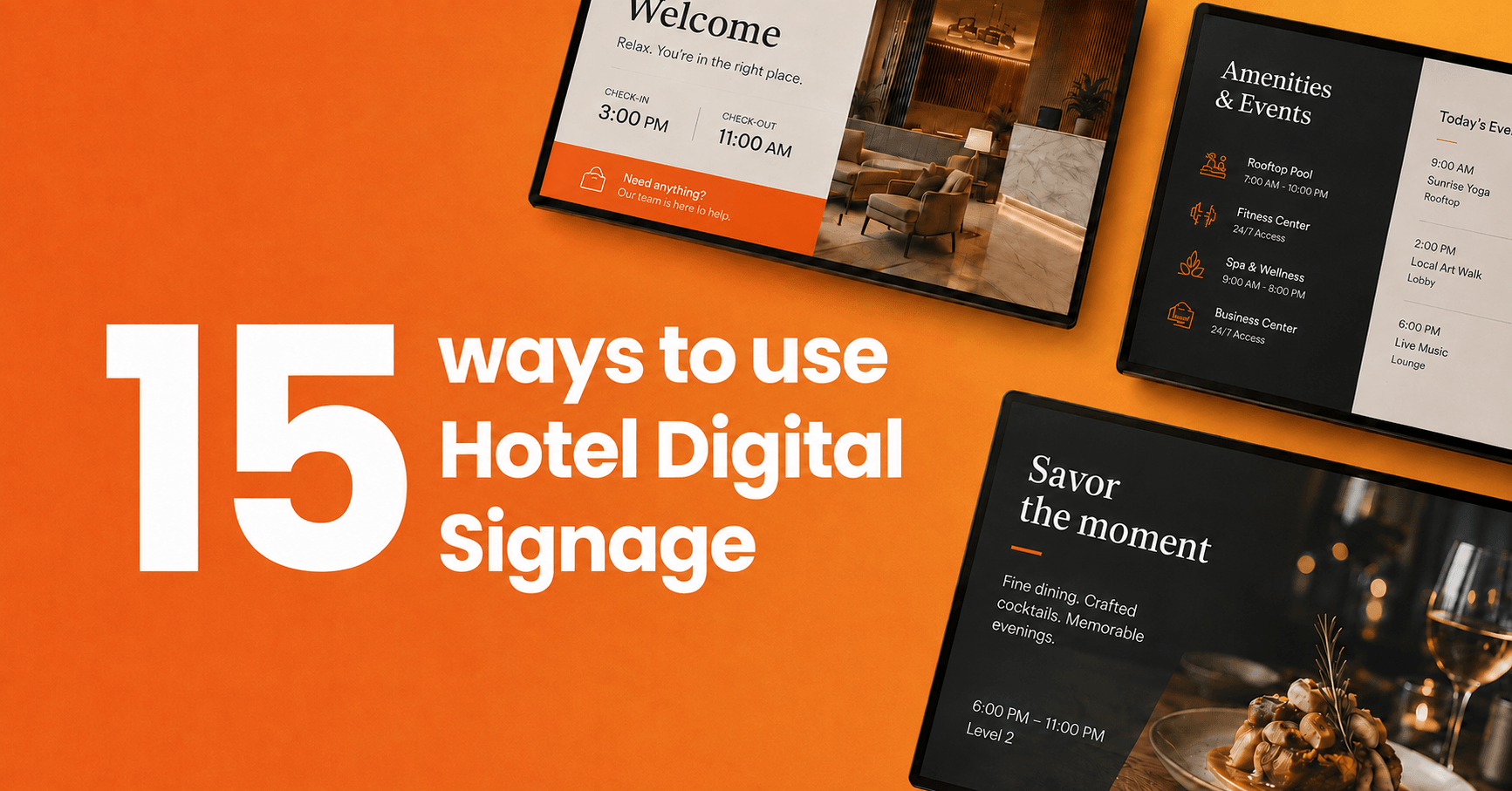
A practical guide to using digital signage across your hotel, from the lobby to the staff room, with real examples of what works where.
Key takeaways
Every screen has a job: hotel digital signage performs when each display matches its location, from lobby wayfinding to back-of-house staff boards
Guest experience comes first: screens answer questions before guests ask them, which shortens front-desk queues and cuts repetitive requests
Revenue follows visibility: restaurants, spas and room upgrades get used when guests actually see them during their stay
Staff screens matter as much as guest screens: housekeeping and kitchen teams rarely check email, and displays reach them where they work
Setup is lighter than it looks: existing TVs, a small media player and cloud software cover most properties
Every hotelier knows the rhythm: guests queue at the front desk to ask where breakfast is served, what time the pool closes and how to find the conference room. The answers never change, but staff repeat them all day while printed signs in the elevator advertise last month’s promotion.
Hotel digital signage replaces that static, high-maintenance setup with screens you update centrally, in minutes, across every floor and every property. This guide covers 15 practical ways hotels use digital signage, where to place screens for the most impact and what hospitality digital signage requires to get running.
What is hotel digital signage?
Hotel digital signage is a network of connected screens placed around a property to share information with guests and staff, managed remotely from one dashboard. The screens display welcome messages, wayfinding directions, restaurant menus, event schedules, local recommendations and internal staff updates, and the content changes on a schedule or in real time without anyone touching the display.
The difference between digital signage and a TV playing a slideshow is control. A digital signage system schedules content by time of day, updates every screen at once, turns displays on and off automatically and keeps playing even when the network drops. For a property with a dozen screens across three floors, that control is the difference between a communication channel and a maintenance burden.
This article covers what to put on hotel screens, where to place them and what results to expect. Each of the 15 uses below stands alone, so you can skim to the ones that match your property.
15 ways to use digital signage in your hotel
1. Self-service check-in and shorter queues
Screens and kiosks at reception let guests check themselves in while staff handle the cases that genuinely need a person. According to Mews, 70% of American travelers are likely to check into a hotel using an app or self-service kiosk instead of the front desk, and the figure rises to 82% among Gen Z travelers. For a hotel, that means most of the arrival queue would rather serve themselves, and a screen that shows queue guidance, check-in instructions or a QR code for mobile check-in removes friction from the first five minutes of every stay.
Even without a full kiosk setup, a reception screen that answers arrival questions like breakfast hours, Wi-Fi access and parking cuts the number of guests who need to wait for an answer.
2. Welcome messages and lobby information
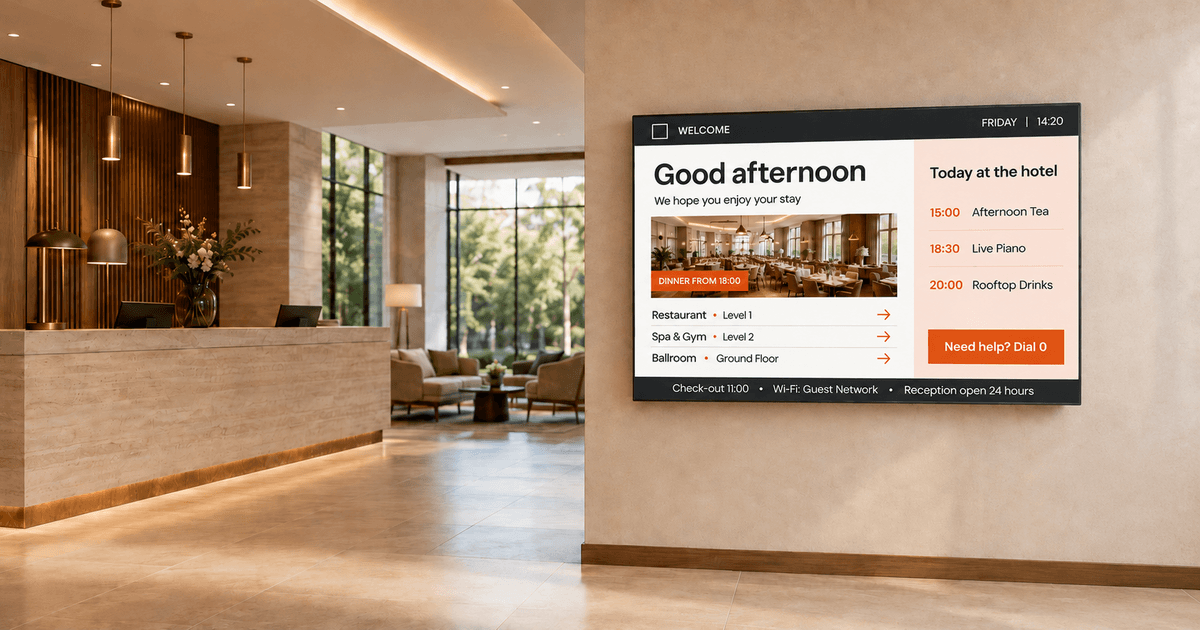
A lobby screen is the first thing guests see after a long journey, and it sets the tone for the stay. Hotels use lobby displays to greet arriving groups by name, show the day’s weather and flight information, announce events and rotate imagery of the property’s services. Hotel lobby signs work best when they answer the questions guests carry through the door: where do I go, what happens today and what should I not miss.
Conference groups are the clearest win. A welcome board naming the company and pointing delegates to their meeting room saves dozens of identical front-desk conversations before 9AM.
3. Wayfinding and property directories
Guests in an unfamiliar building want directions without asking for them. Wayfinding digital signage at elevator banks, corridor junctions and floor entrances shows guests the route to the spa, the gym, the restaurant or a specific conference room. Larger properties add interactive directories where guests tap a destination and see the path.
Digital wayfinding also adapts. When an event moves from Ballroom A to Ballroom B, every directional screen updates at once, which printed signage can never do on short notice.
4. Digital concierge and local area guides
Screens can carry a large share of the concierge’s routine work. A digital concierge display recommends nearby restaurants, museums, running routes and family activities, with QR codes that send maps and booking links straight to the guest’s phone. Content scheduling makes the recommendations relevant: brunch spots in the morning, dinner and shows in the evening, weekend markets on Friday afternoon.
Screens don’t replace the human concierge. They clear the standard requests so the concierge desk spends its time on the requests that build loyalty.
5. Event schedules and meeting room signage
Business travelers judge a property on how easily they find their meeting. Conference room signage outside each room shows the current booking, the next session and availability at a glance, while lobby and corridor screens carry the full day’s event schedule. When a session runs late or swaps rooms, the update reaches every screen in seconds.
Hotels that host weddings and banquets use the same screens for celebratory content: the couple’s names at the ballroom entrance in the afternoon, the conference agenda back up on Monday morning.
6. Digital menu boards for restaurants and bars
Hotel restaurants change menus more often than most, with breakfast, lunch, dinner and seasonal rotations, and printed boards never keep up. Digital menu boards switch automatically by daypart, update prices in one edit and promote the dishes the kitchen wants to move today. Photography matters here: a screen showing the signature dish outsells a laminated card describing it.
The same logic applies to the pool bar and the coffee corner. Any surface where guests decide what to order is a surface where a current, legible menu earns money.
7. Promoting the spa, pool, gym and amenities
Guests cannot book what they never notice, and most guests never read the in-room compendium. Screens in elevators, corridors and the lobby remind guests that the spa has afternoon availability, the rooftop bar opens at 5PM and the gym runs a morning yoga class. Oracle and Skift’s global hospitality study found 73% of travelers are more likely to stay at a hotel offering self-service technology. Guests prefer discovering services on their own terms, and a well-placed screen is exactly that: information they act on without needing a conversation.
Pro tip by Yodeck Team: schedule amenity promotions by time of day. Spa content performs in the afternoon lull, restaurant content before meal times and bar content in the early evening. Yodeck’s scheduling handles the rotation automatically once you set it.
8. Helping guests discover upgrades and packages
Upgrades sell when guests learn about them at the right moment, not when they feel pushed. Screens near reception and in elevators present late check-out, room upgrades, breakfast add-ons and celebration packages as options guests can take up at their own pace. The same Mews research found guests who check in via kiosk are three times more likely to purchase an upsell and generate nearly 70% more upsell revenue per check-in than front-desk arrivals. Self-directed discovery converts better than a pitch, and screens are the most natural self-directed channel a property has.
Keep the framing guest-first. “Sleep in until noon” reads as a service. “Upgrade now” reads as a transaction.
9. Travel, weather and shuttle information
Departing guests all want the same three answers: what is the weather, is my flight on time and when does the shuttle leave. Lobby screens with live flight boards, weather forecasts and shuttle schedules answer them at a glance. Airport hotels treat this as core service, and city properties use the same screens for train departures and traffic conditions.
Live data apps make travel screens a set-and-forget use case. Once the flight feed and weather widget are configured, the screen stays current without anyone maintaining it.
10. Social media walls and guest content
Guests photograph hotels constantly, and that content is more persuasive than any brochure. A social media wall pulls tagged posts and hashtag feeds onto lobby or bar screens, showing arriving guests the property through the eyes of people who chose it. Weddings and conferences amplify the effect, with a live feed of event posts giving attendees a reason to post more.
Choose a setup that lets you approve posts before they appear on the wall, because one off-brand photo in the lobby undoes the effect.
11. Reviews and testimonials on screen
A rotating selection of recent guest reviews in the lobby reassures arrivals that they chose well. Reviews carry more weight than marketing copy because guests recognize them as unscripted, and displaying them signals confidence. Pair a strong quote with the reviewer’s first name and travel type, such as a family stay or a business trip, so arriving guests see themselves in the feedback.
The same screens work harder at the point of decision. A short review praising the restaurant, placed near the restaurant entrance, nudges the dinner booking.
12. Emergency alerts and safety messaging
In an emergency, screens become the fastest way to reach everyone in the building. Digital signage systems can override all scheduled content with evacuation instructions, severe weather warnings or safety notices across every screen at once, in multiple languages. Printed evacuation maps stay on the wall, but a live alert reaches guests in the lobby, the restaurant and the corridors the moment it matters.
Outside emergencies, the same capability handles operational notices: a pool closure for maintenance, a fire alarm test at noon or icy conditions at the entrance.
13. Digital art and lobby ambiance
Not every screen needs to inform. Boutique and design-led hotels run ambient visuals, digital art collections and slow-motion scenery on large-format displays to set an atmosphere that matches the brand. A screen behind the bar showing abstract motion graphics does a different job than a menu board, and both jobs are real.
Ambiance content also fills the gaps. When there is no event to announce and no promotion to run, a curated visual loop keeps screens from going dark or, worse, showing a default input screen.
14. Staff communication behind the scenes
Hotel teams are deskless. Housekeepers, kitchen staff, porters and maintenance crews do not sit at computers, so email and intranet updates never reach them, and the staffing pressure makes every missed message expensive. AHLA found 65% of surveyed US hotels report staffing shortages, which means fewer people covering more ground with less time for briefings. Back-of-house screens in staff rooms, kitchens and corridors carry shift schedules, occupancy forecasts, VIP arrivals, safety reminders and recognition messages to the people who never open a laptop.
TUI Group runs this model at scale, managing nearly 300 screens across four continents with centrally controlled content that local teams adapt to their region. Employee-facing screens can also automate the human moments, displaying birthdays, work anniversaries and new-hire welcomes pulled straight from HR systems.
15. Keeping every property on brand
Hotel groups struggle to keep messaging consistent when each property manages its own screens. Cloud-based digital signage solves the split: the brand team controls templates, campaigns and core content centrally, while each property adds local events, menus and staff updates within that frame. A promotion launches across 40 properties in one action instead of 40 emails asking someone on site to update a screen.
The operational side matters as much as the brand side. Central monitoring shows which screens are online at every property, so a dark display in a lobby 2,000km away gets noticed at headquarters, not by a guest.
Where to put digital signage in a hotel
Placement decides results more than content does. A brilliant promotion on a screen nobody passes earns nothing, and a plain menu board at the restaurant entrance earns bookings every day. The table below maps the highest-value locations, what belongs on each screen and who should own the content.
| Location | What to show | Primary goal | Content owner |
|---|---|---|---|
| Reception and lobby | Welcome messages, check-in guidance, events, weather | Faster arrivals, fewer questions | Front office |
| Elevator banks and corridors | Amenity promotions, wayfinding, upgrades | Service discovery | Marketing |
| Restaurant and bar | Menu boards, daily specials, opening hours | Covers and order value | F&B manager |
| Conference floor | Room signage, agendas, sponsor content | Smooth events | Events team |
| Pool, spa and gym | Schedules, treatments, safety notices | Amenity usage | Spa/leisure manager |
| Staff areas | Shift info, occupancy, VIPs, recognition | Informed teams | HR / operations |
Two placement rules hold across property types. First, screens belong where guests pause or decide: elevator waits, reception queues and restaurant entrances outperform long corridors where people walk past. Second, orientation follows location, with portrait screens fitting narrow wall spaces near elevators and landscape formats suiting lobbies and menu walls.
Interesting insight: hotel screens should not run around the clock. Scheduling displays to power off overnight in areas guests do not use, like the conference floor at 11PM, saves electricity and extends hardware life. Yodeck’s Working Hours feature sets global or per-screen on/off schedules, including special hours for holidays.
What do you need to set up hotel digital signage?
A hotel digital signage setup needs three things: screens, a media player per screen and digital signage software to manage the content. Most properties already own the first part, since any TV or commercial display with an HDMI port works, in any resolution and orientation. The media player is a small device behind each screen, and cloud software ties the network together so one person updates every display from a browser.
Yodeck manages all of it from a single dashboard: playlists and layouts per screen, scheduling by daypart, live apps for weather and flight data, plus 700+ free templates designed for signage content. Screens across floors or across properties update from the same place, and monitoring shows every player’s status so problems surface before guests see them. On the review side, Yodeck holds a 4.7 out of 5 rating across 2,852 verified reviews on G2, where ease of use is the most mentioned strength, which matters in hotels where front-office staff, not IT, run the day-to-day content.
If you want to test the model before committing, start with one lobby screen and expand once the routine settles, or book a demo to see the platform running your own content.
FAQs about hotel digital signage
What digital technology is used in hospitality?
Hotels combine several categories of guest-facing technology: property management systems for reservations and billing, self-service check-in kiosks and mobile keys, guest messaging platforms, in-room tablets and streaming, and digital signage for on-property communication. Digital signage is the layer guests see most, since it covers every public space from the lobby to the pool, while the other systems work mostly behind an app or a front desk.
How much does hotel digital signage cost?
Yodeck is free for one screen forever, so a single lobby display costs only the media player behind it; for a full breakdown of hardware, software and content costs, see our guide to digital signage costs.
Can digital signage run on the TVs a hotel already has?
Yes. Digital signage software works with any TV or monitor that has an HDMI input, at any resolution, by connecting a small media player behind the screen. Yodeck runs on its own Raspberry Pi-based Yodeck Player as well as Android devices, Amazon Fire TV Stick, LG webOS and Samsung Tizen commercial displays, Windows machines and BrightSign players, so most existing hotel screens join the network without replacement. Guest-room TVs on proprietary hotel TV systems are the usual exception and are worth checking with your provider.
Screens are already everywhere in your hotel. The difference between decoration and a working communication channel is the system behind them, and that system now takes an afternoon to set up rather than a capital project. Start with your lobby screen for free and see what it changes at the front desk within a week.
Still reprinting hotel signs?
Try Yodeck’s award-winning digital signage solutions and update every hotel screen across every property from one dashboard.
Start for free